.png?width=200&height=60&name=Coursemojo%20logo%20(4).png)
Note: The student name displayed below is a dummy student for demo purposes.
When a student responds to Mojo in another language, like Spanish, Mojo understands them but still replies in English. This means you may see your student's responses in another language in the transcript. You can translate the page into English right in your browser.
Translate a transcript in Chrome
- Open the student's transcript.
- Right-click anywhere on the page.
- Select Translate to English.
The student's responses will now appear in English.
.gif?width=670&height=384&name=translate-right-click%20(1).gif)
Don't see the Translate option?
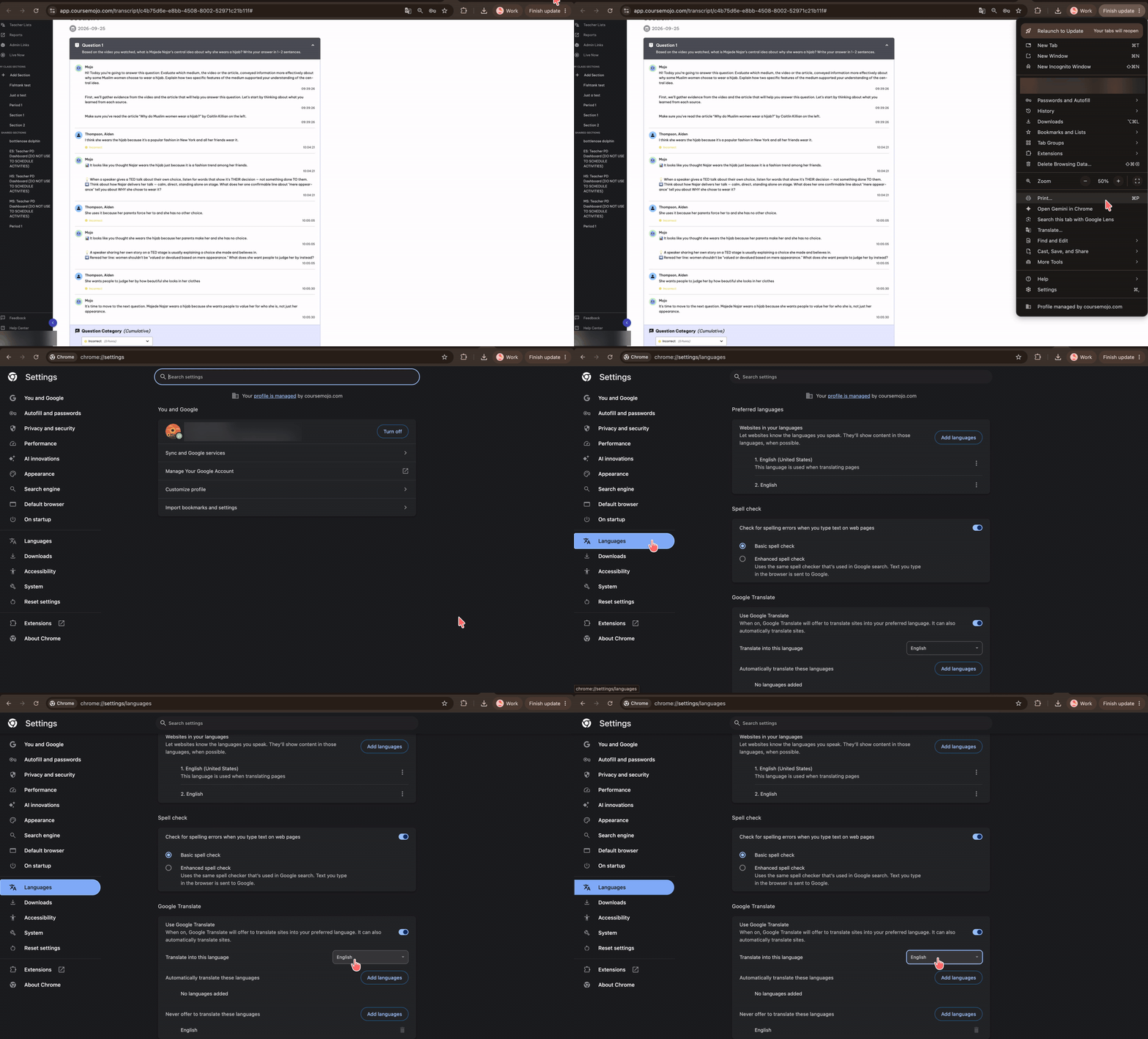
You may need to turn on translation in Chrome first:
- In Chrome, click the three dots in the top right corner and select Settings.
- Click Languages.
- Turn on the translation toggle.
You can also set Chrome to automatically translate a language, like Spanish, into English whenever it appears.
Using Microsoft Edge?
Click here to learn how to translate a page in Microsoft Edge.